Where the shadow falls
Rembrandt and low-key put one side of the face in shadow. That reads as serious, calm or cinematic.
Light Lab
One face, one black top, one grey backdrop. The only thing that changes from picture to picture is the light. The first picture is the standard light every shot gets; the other eleven are the lights you can choose under Lighting in the studio. Each one says what it does and when it is worth picking.
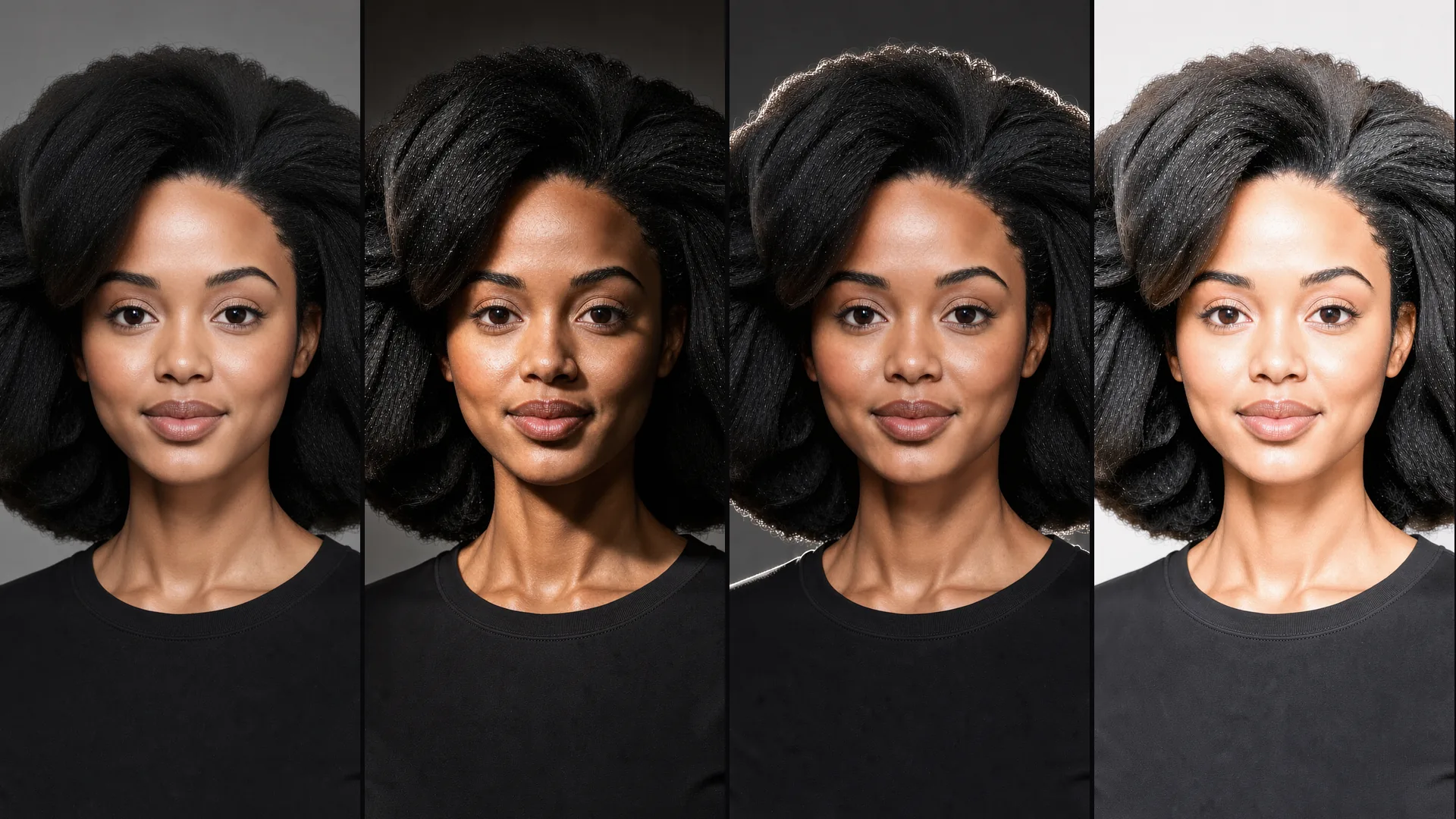
Examples
The standard light first, then the eleven studio lights. Each link opens the studio; choose the light under Lighting when you shoot.
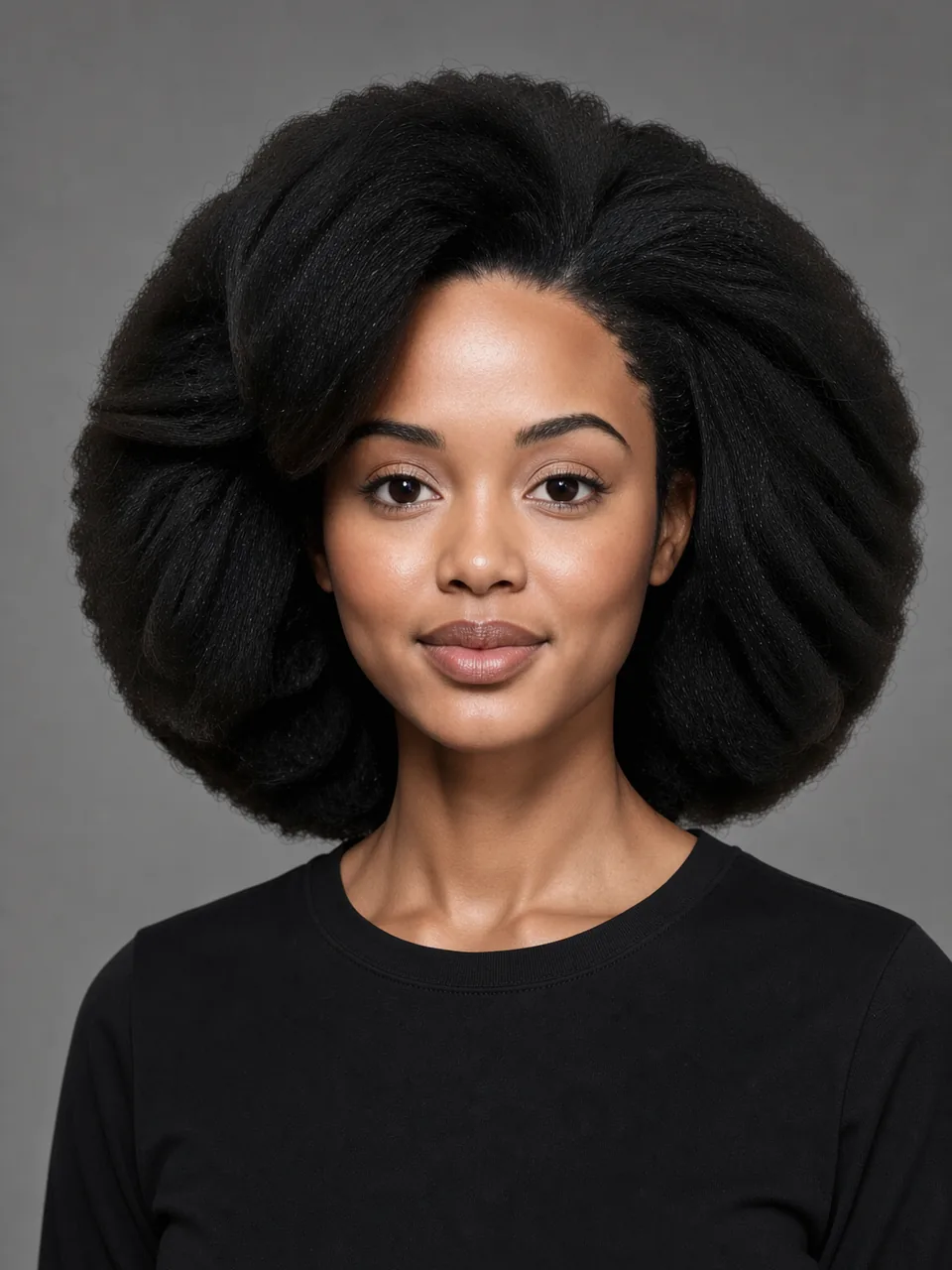
What every Shot gets when you choose no light: soft and even, few shadows, a mid-grey backdrop. Use it when the outfit or the face should carry the picture.
Try it in the studio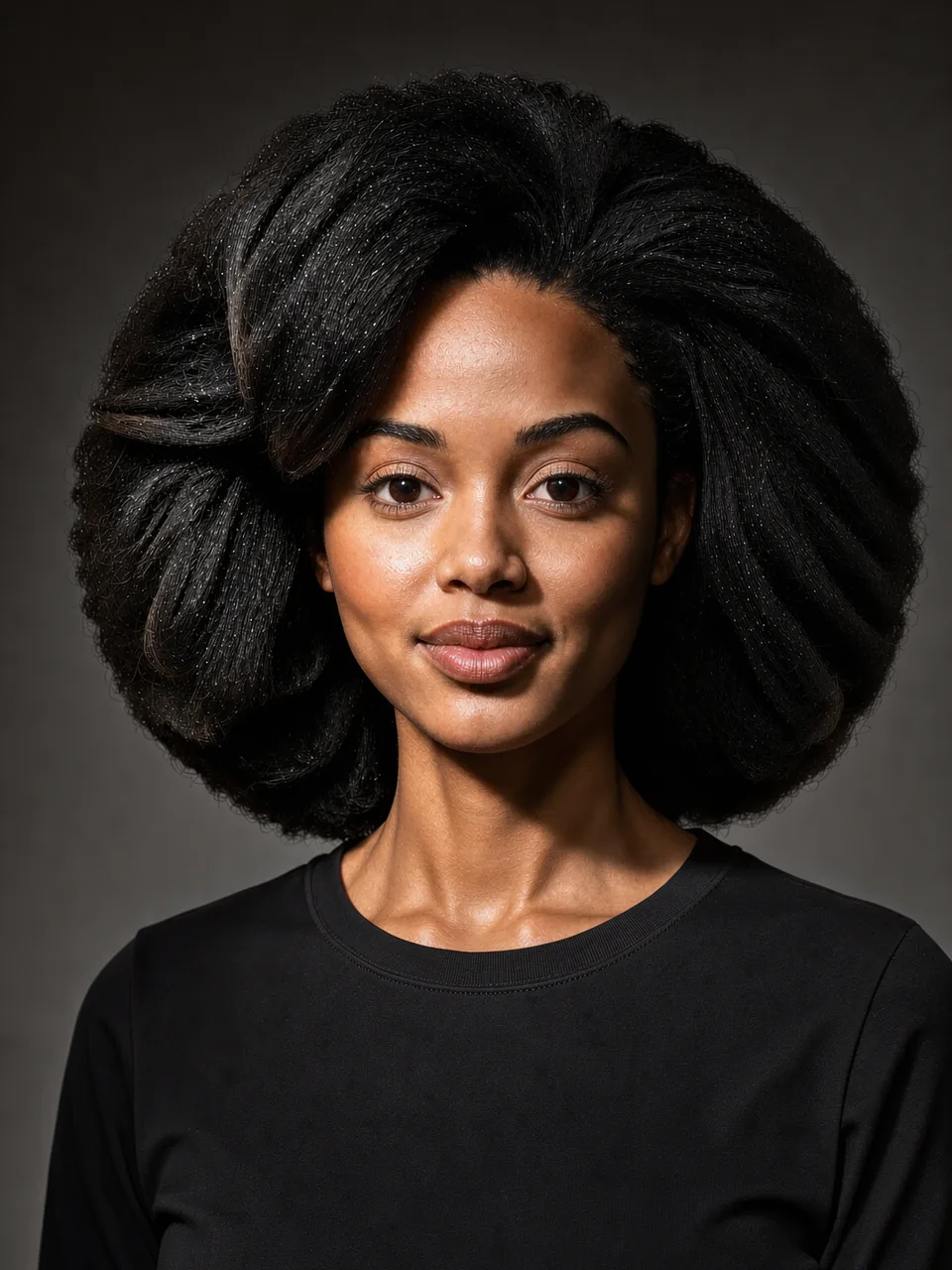
One hard light high at camera-left: the far side of the face falls into shadow and the backdrop darkens. Use it for a serious, painterly portrait. The small triangle of light under the eye is faint here.
Try it in the studio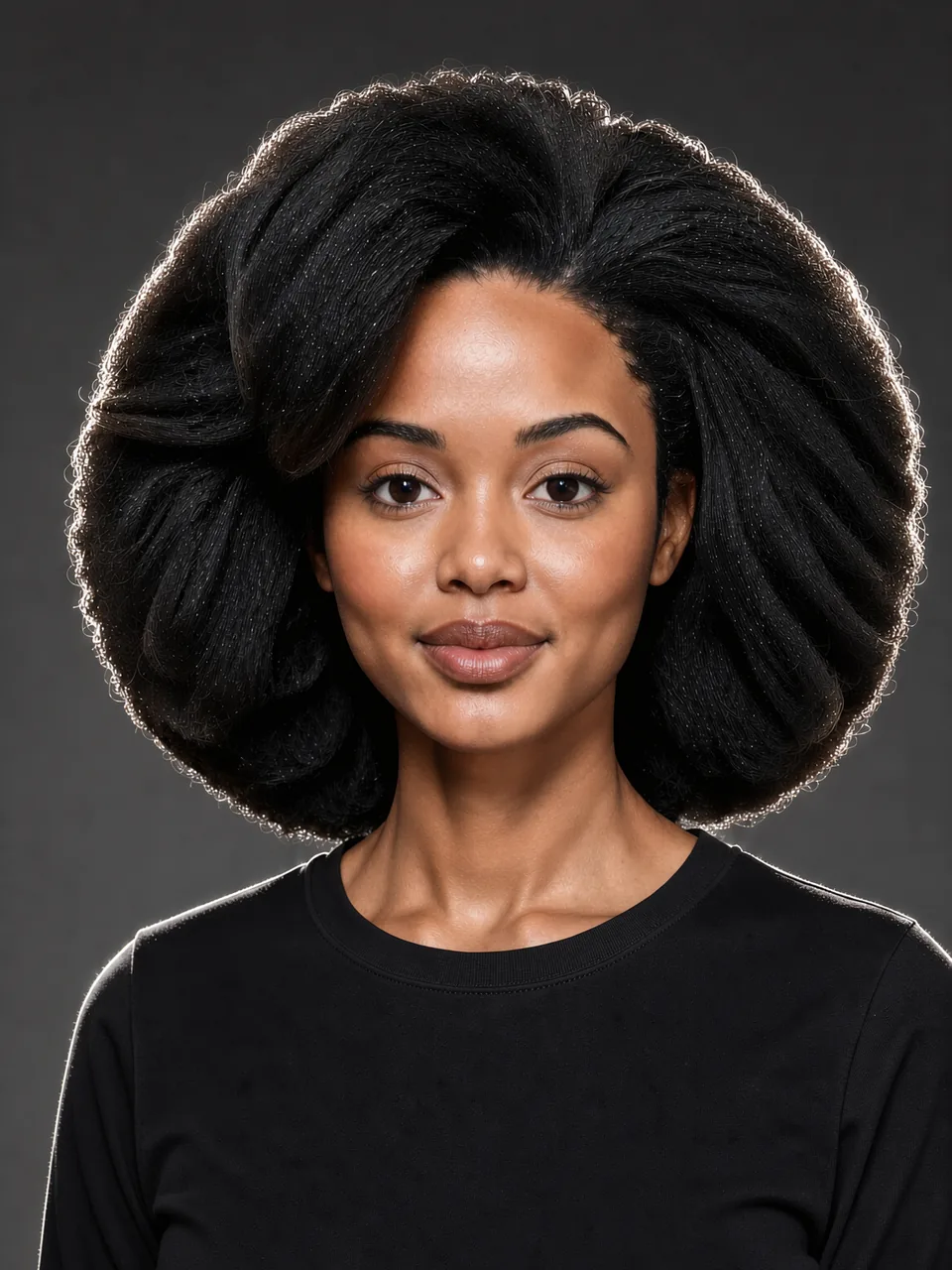
Two lights behind draw a bright edge around the hair and shoulders against a darker backdrop. Use it to make dark hair or dark clothes stand out from the background.
Try it in the studio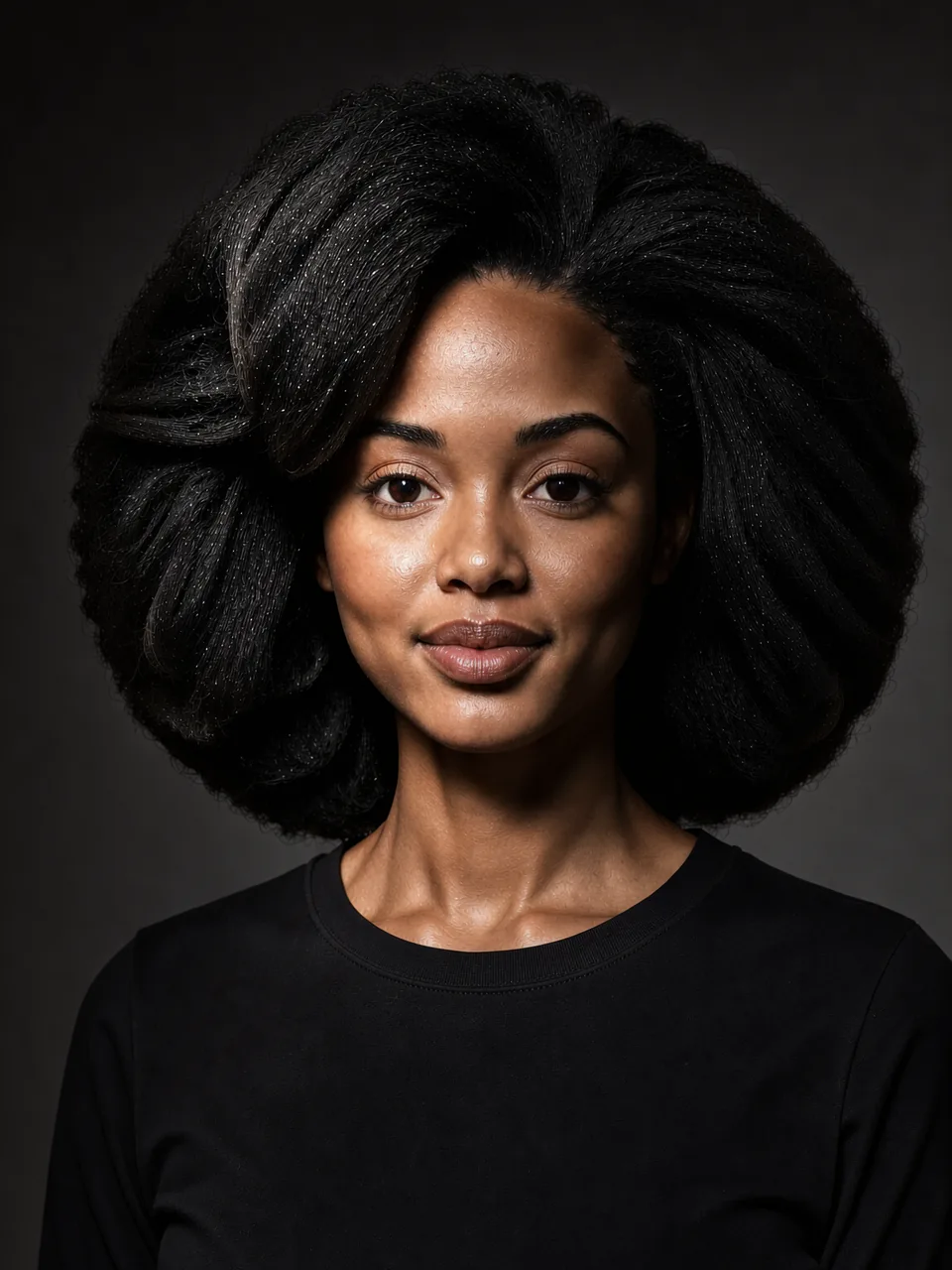
One focused light and deep shadow everywhere else: the backdrop goes almost black. Use it for drama, evening looks and moody profile pictures.
Try it in the studio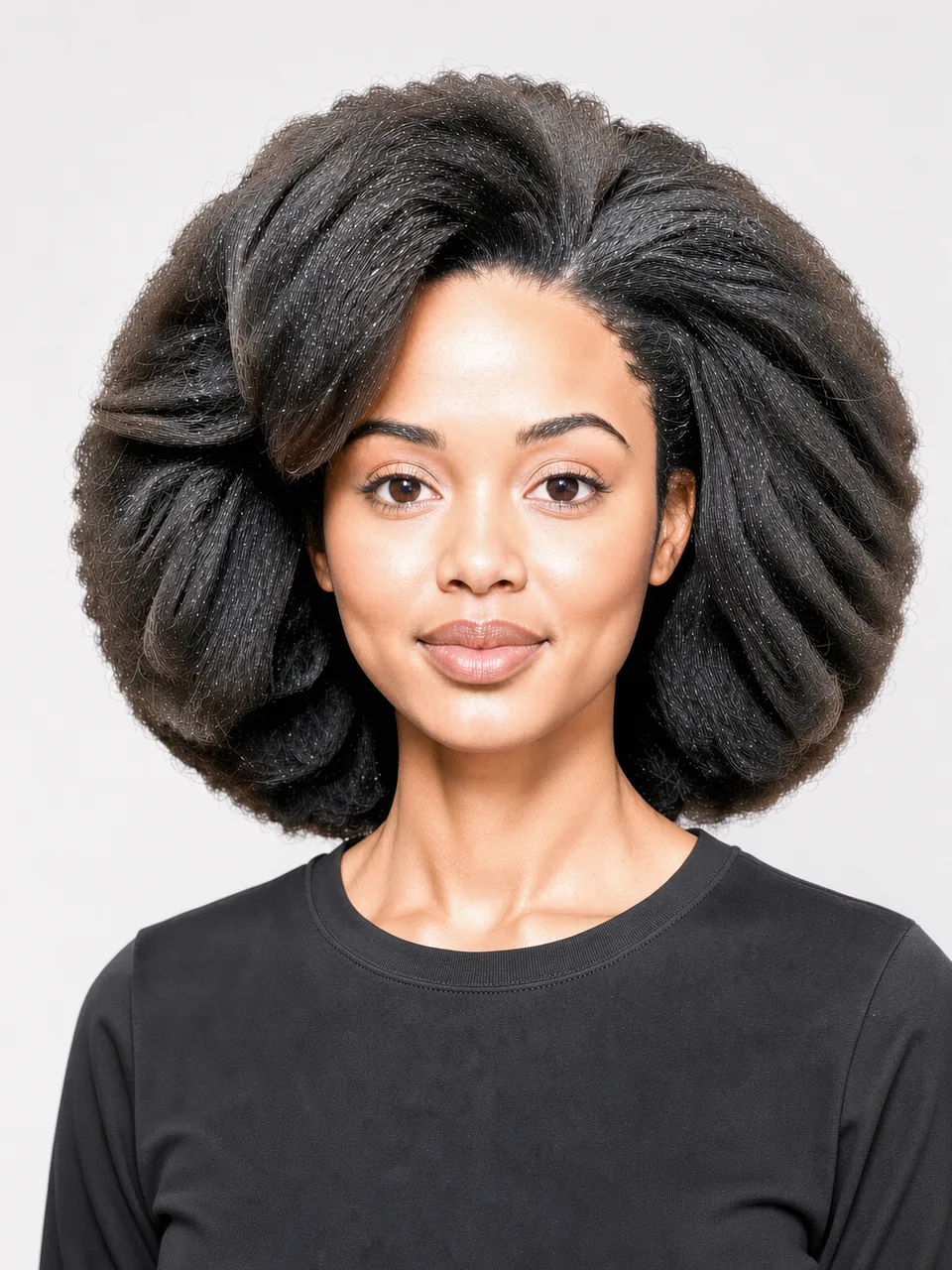
Bright light from the front and both sides, a white backdrop and almost no shadow. Use it for a clean, friendly portrait that feels light and open.
Try it in the studio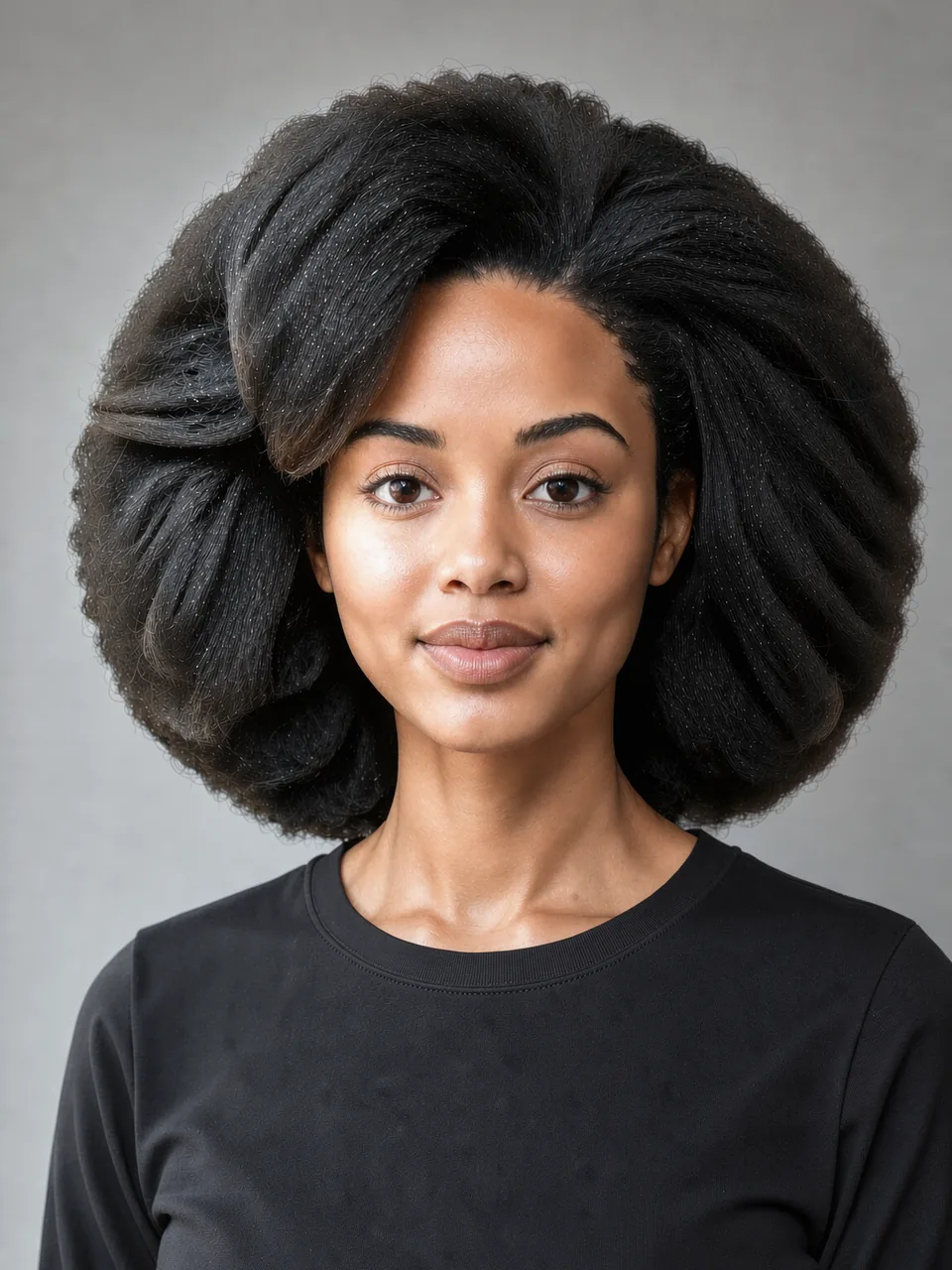
Daylight as if from a large window at camera-left: the backdrop brightens on that side and the light fades gently across the face. Use it for natural, calm portraits.
Try it in the studio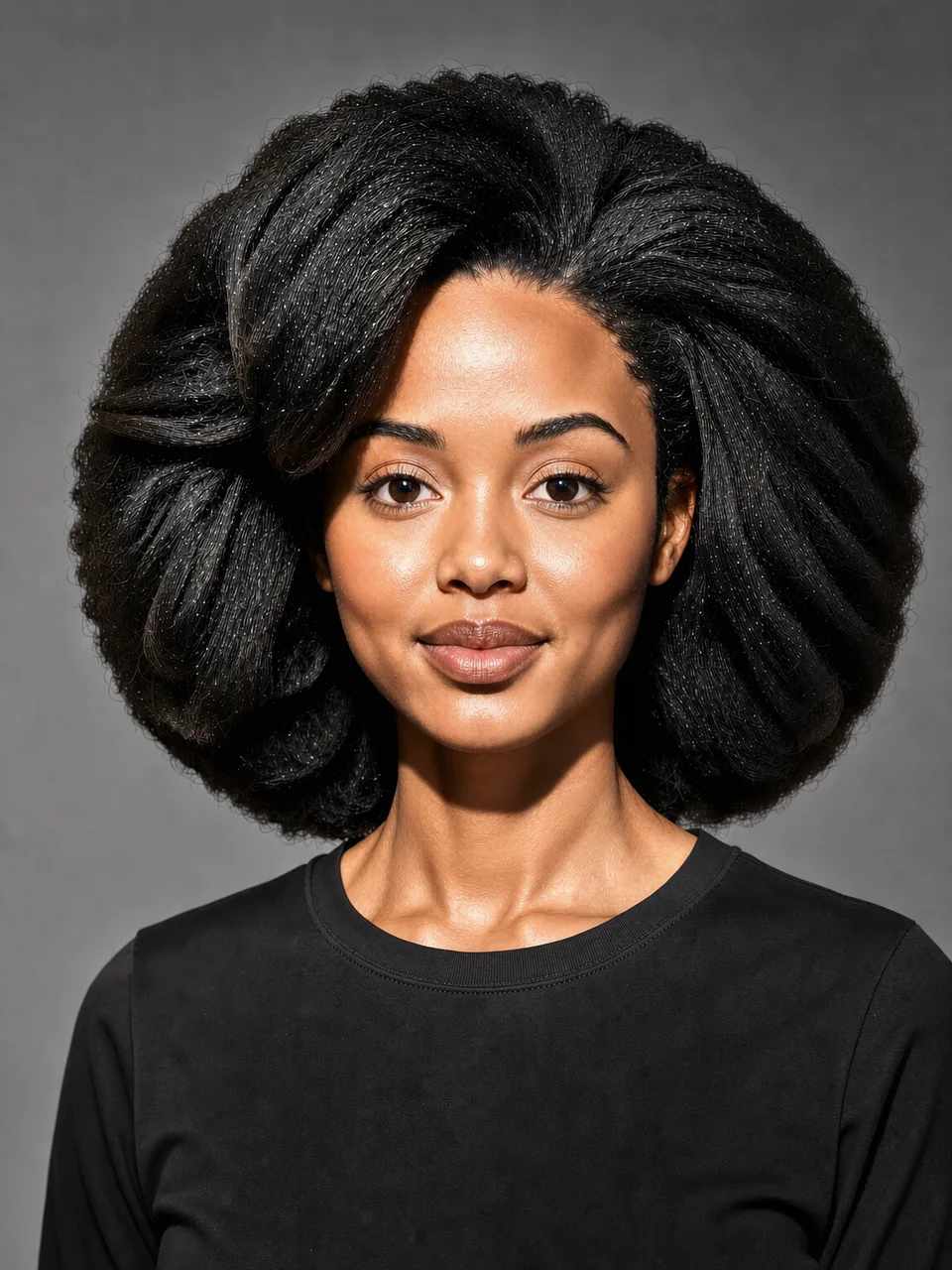
One light at camera-left at eye height. On this photo the change is mild: a little more contrast and skin texture than the standard light. Pick it for a slightly harder look without a dark backdrop.
Try it in the studio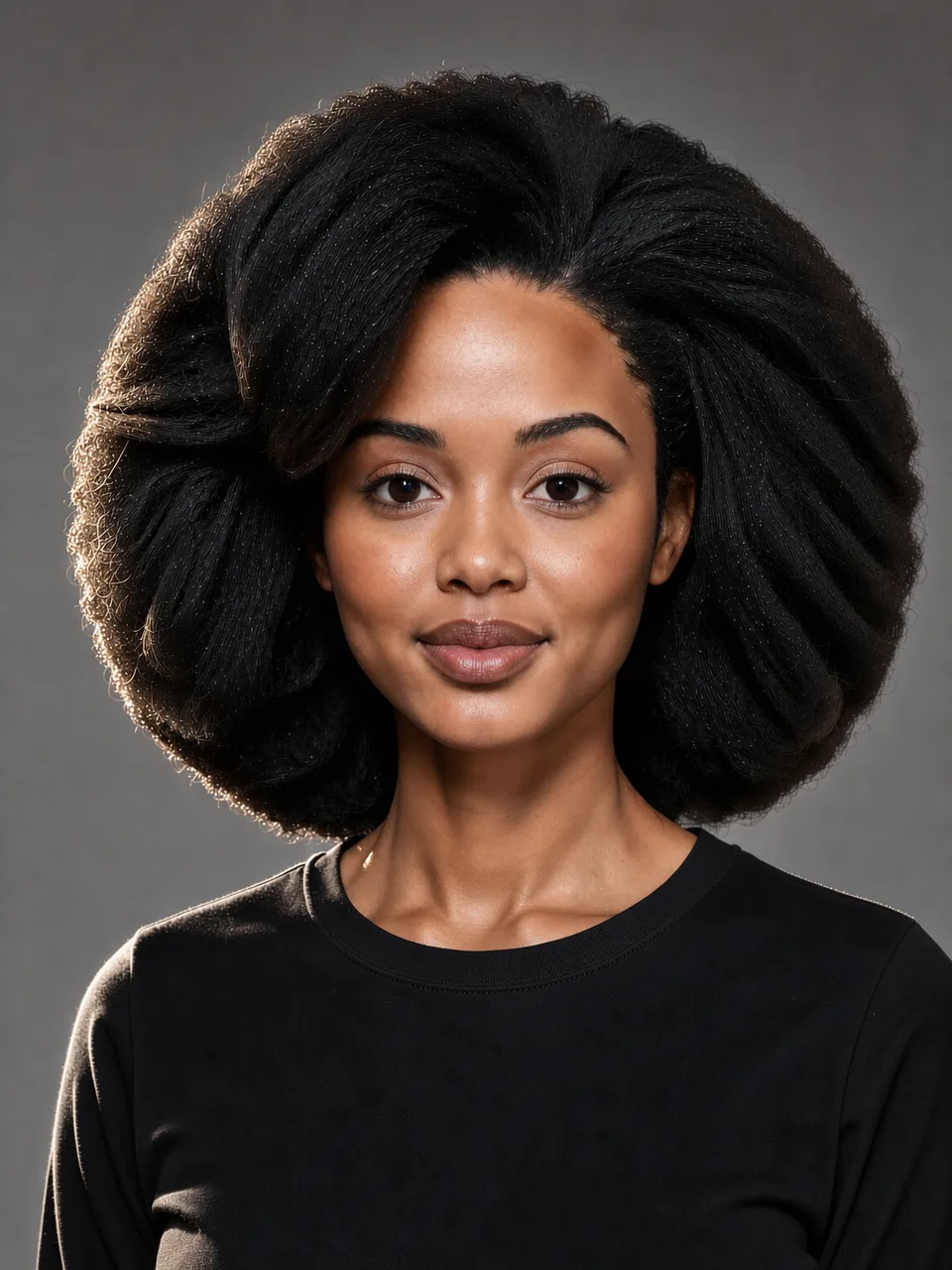
A light behind at camera-left outlines the hair, cheek and shoulder on that side while the front of the face stays a little dimmer. Use it for depth without going dark.
Try it in the studio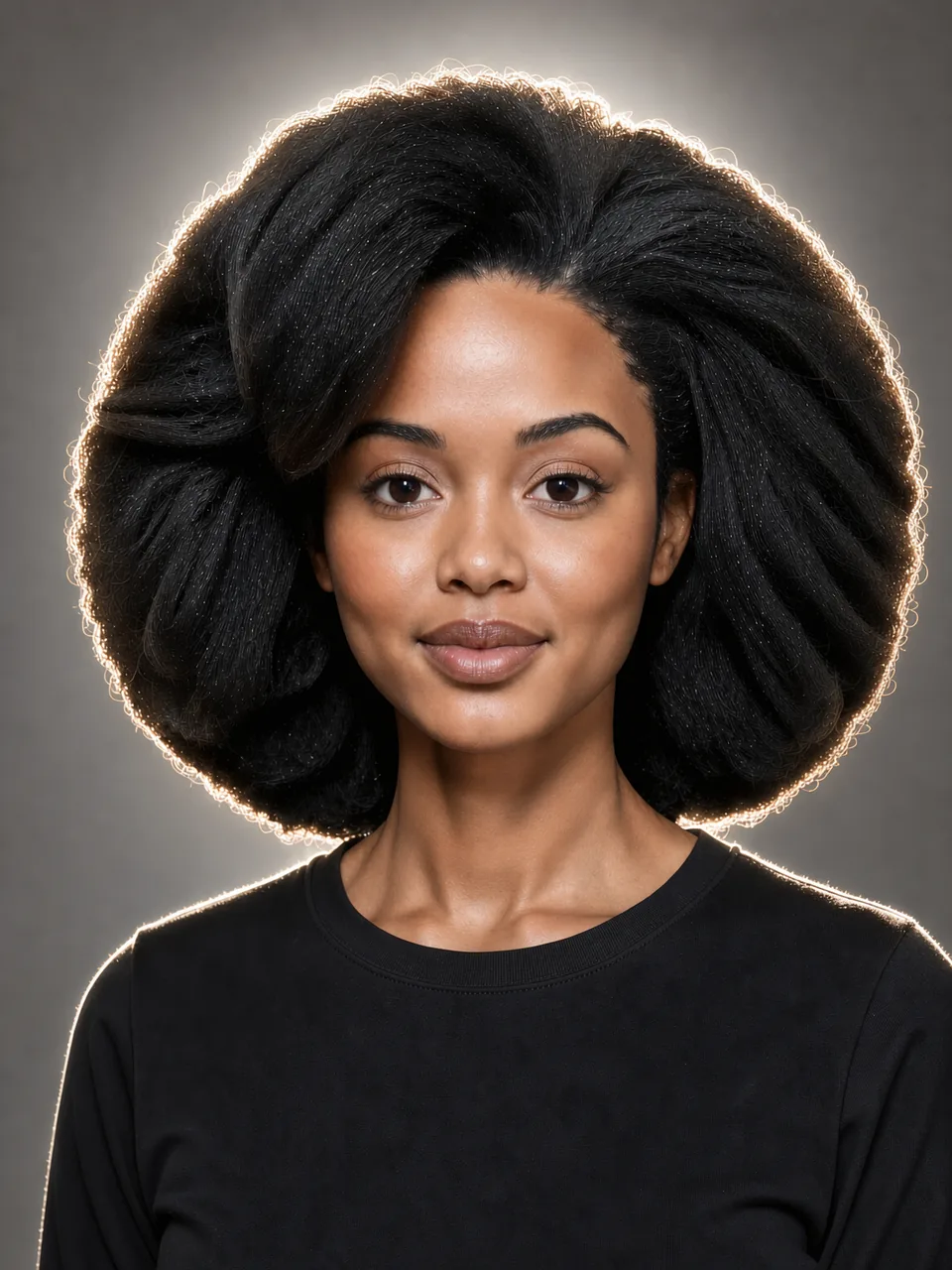
A strong light right behind the head: a halo around the hair and a backdrop that glows. Use it for a soft, dreamy, backlit look.
Try it in the studio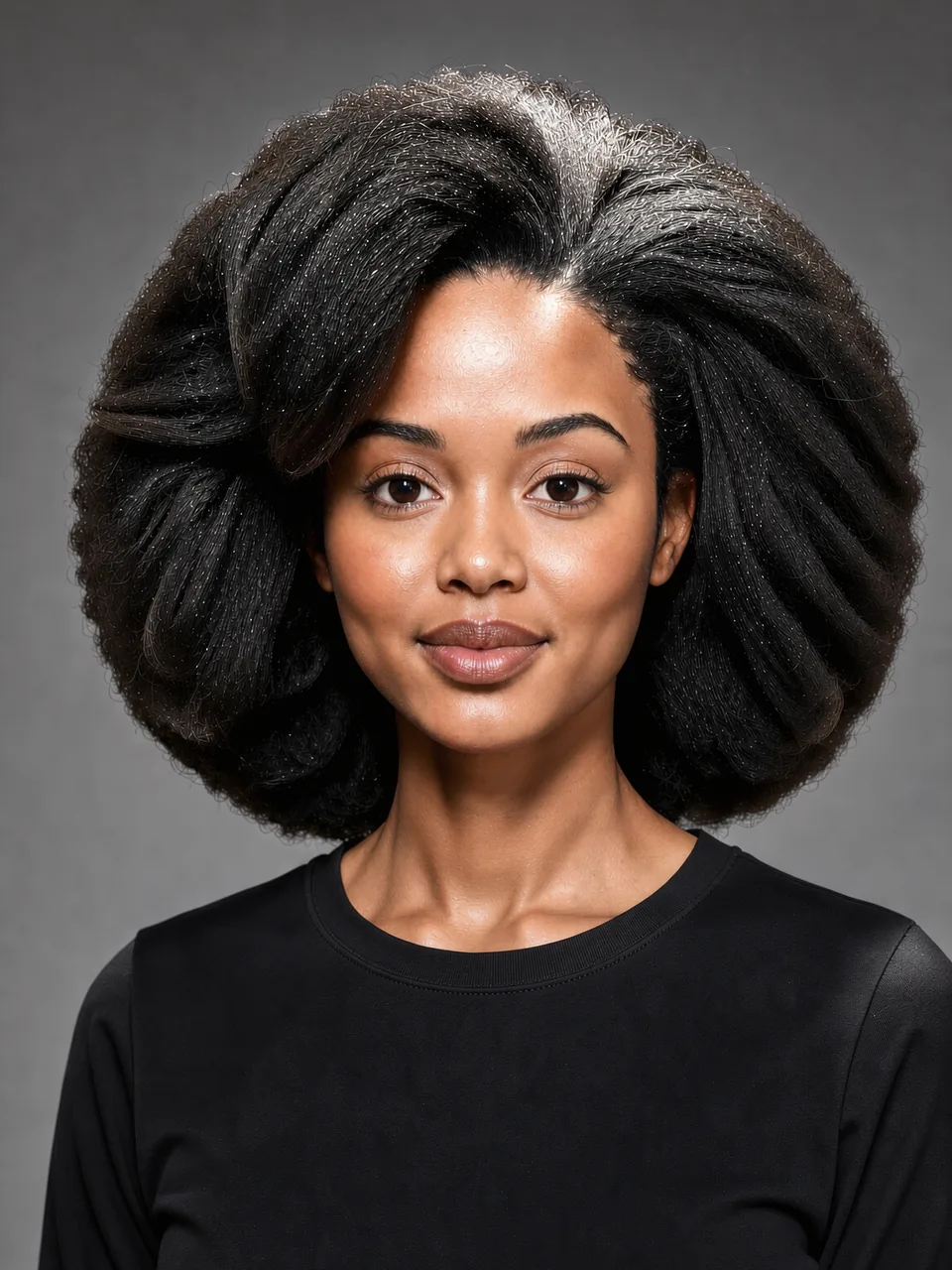
Light from almost straight above: bright hair and forehead, soft shadows under the brows and nose. Use it for a stage or spotlight feel.
Try it in the studio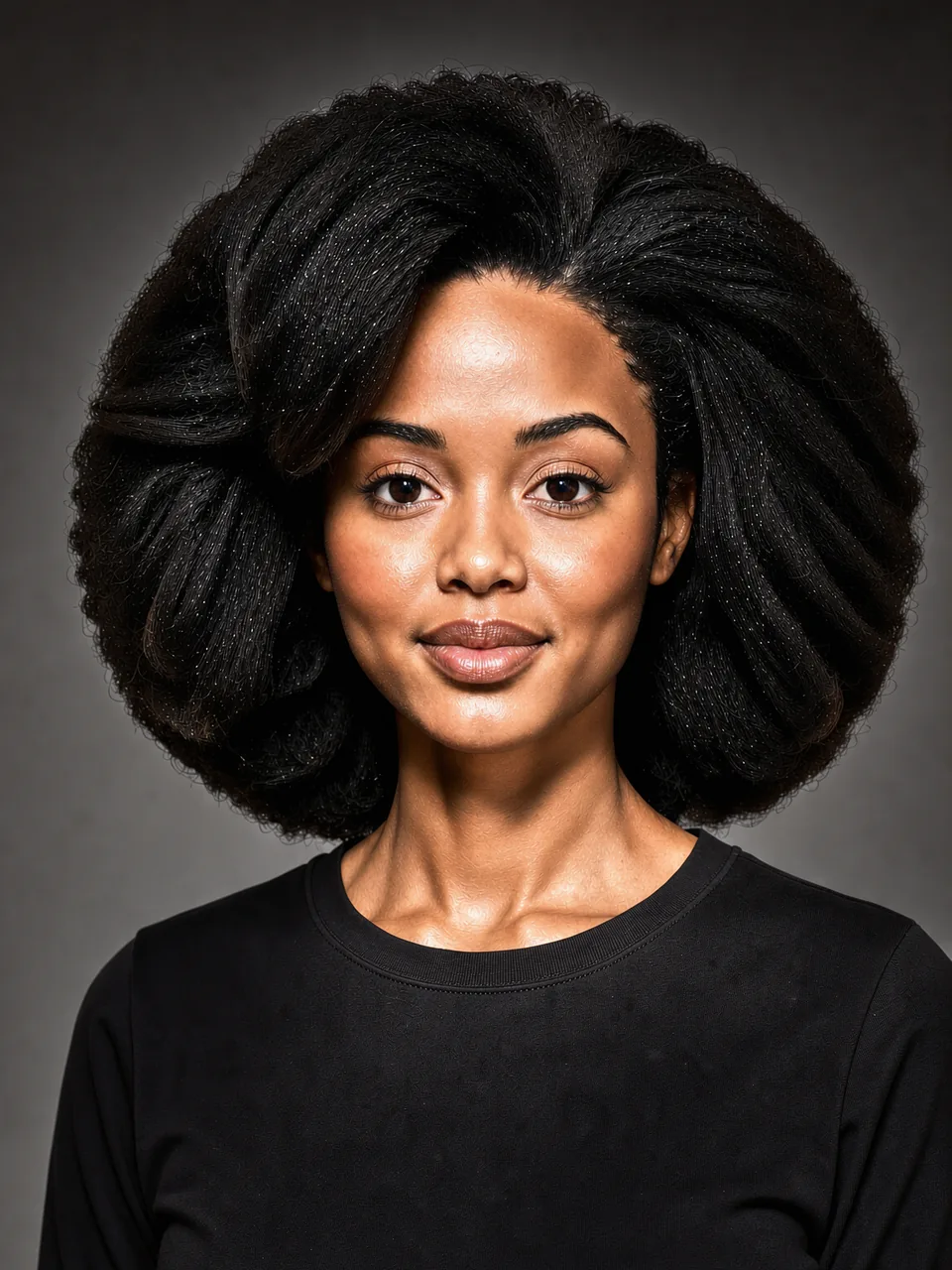
Light from low in front lifts the shadows upward against a darker backdrop. The effect is subtle on this photo; pick it for a theatrical or eerie mood.
Try it in the studio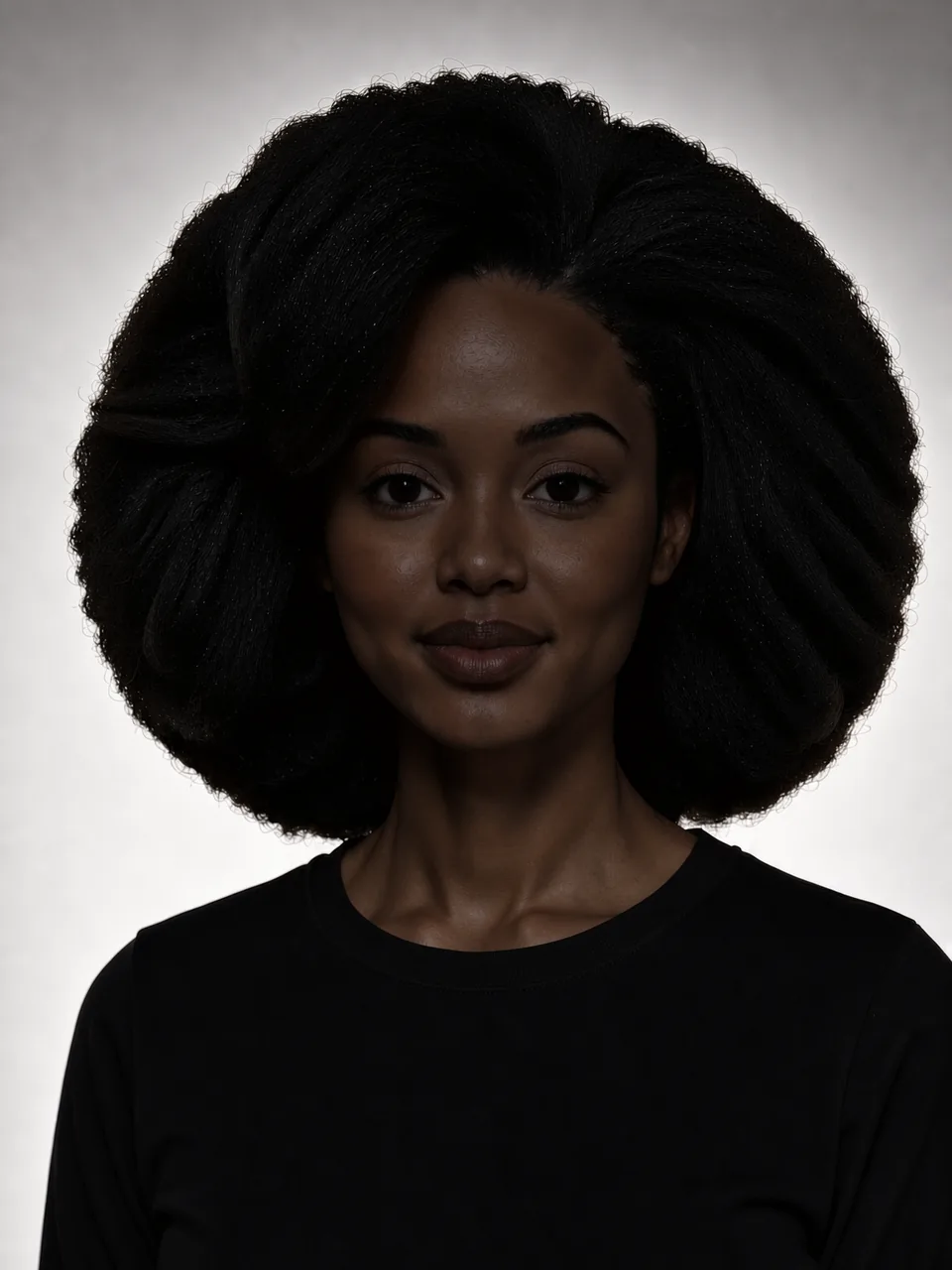
The backdrop is bright and the front of the person is not lit: the outline reads, the face stays dark. Use it for mystery, covers and pictures where the face should not be the subject.
Try it in the studioIdeas to compare
Light sets the mood before anything else in a portrait. Three things to watch when you compare the pictures:
Rembrandt and low-key put one side of the face in shadow. That reads as serious, calm or cinematic.
High-key turns the backdrop white, low-key and Rembrandt darken it, and back light makes it glow behind the head.
Rim, side back and back light draw a bright edge around the hair and shoulders, which lifts you off a dark background.
How it works
A controlled test: one variable per picture.
The female demo avatar, a synthetic person and not a customer, was photographed once with the standard light: close-up, grey seamless backdrop, neutral expression.
The finished photo was relit once for each light. Each edit changes only the light; the face, pose, top and crop stay as they were.
We kept the lights that look clearly different from the base photo. Nine looked almost the same, and Split drew its dividing line through the top and the backdrop like a filter, so the studio does not offer those.
In the studio
A light is added to a single Shot: the Shot is made as usual, then one edit relights it. The Generate button shows the price of both before you start. Photo Sets do not relight yet.
On the Shoot screen, the Lighting section shows the standard light and five featured lights as photo cards: Rembrandt, Rim, Low-Key, High-Key and Soft Window.
Opens the full panel with all eleven lights from this page, each with its preview photo.
On both demo avatars the face stayed the same person in every light we kept. Check your own result before you download it.
For a friendly, open picture: the standard light, High-Key or Soft Window. For a more serious or creative one: Rembrandt or Low-Key. Rim works well when your hair or clothes are dark.
No. The face is one of PublicSelf's synthetic demo avatars. Your own Shots use your own reference photos.
It should change only the light. In this test the face stayed the same person in all twelve pictures. If a result drifts, generate it again or keep the standard light.
In our test nine lights looked almost the same as the standard light and Split looked like a filter, so the studio does not offer them. They come back once they render clearly.
A Shot with a light costs the Shot plus one relight edit. The Generate button shows the full price before you start. The standard light adds nothing.
Try it yourself
Make one Shot with the standard light, then the same Shot with Rembrandt or High-Key, and compare. You get 10 free credits to start.