LinkedIn profile photos

AI LinkedIn profile picture generator

LinkedIn shows your face as a small circle next to a comment, in search, and at the top of the profile. Whatever you call it — profile picture, profile photo, avatar — the image has to read at that size and still feel like you when someone opens it full size. So generate for the circle first: crop, then the Look.

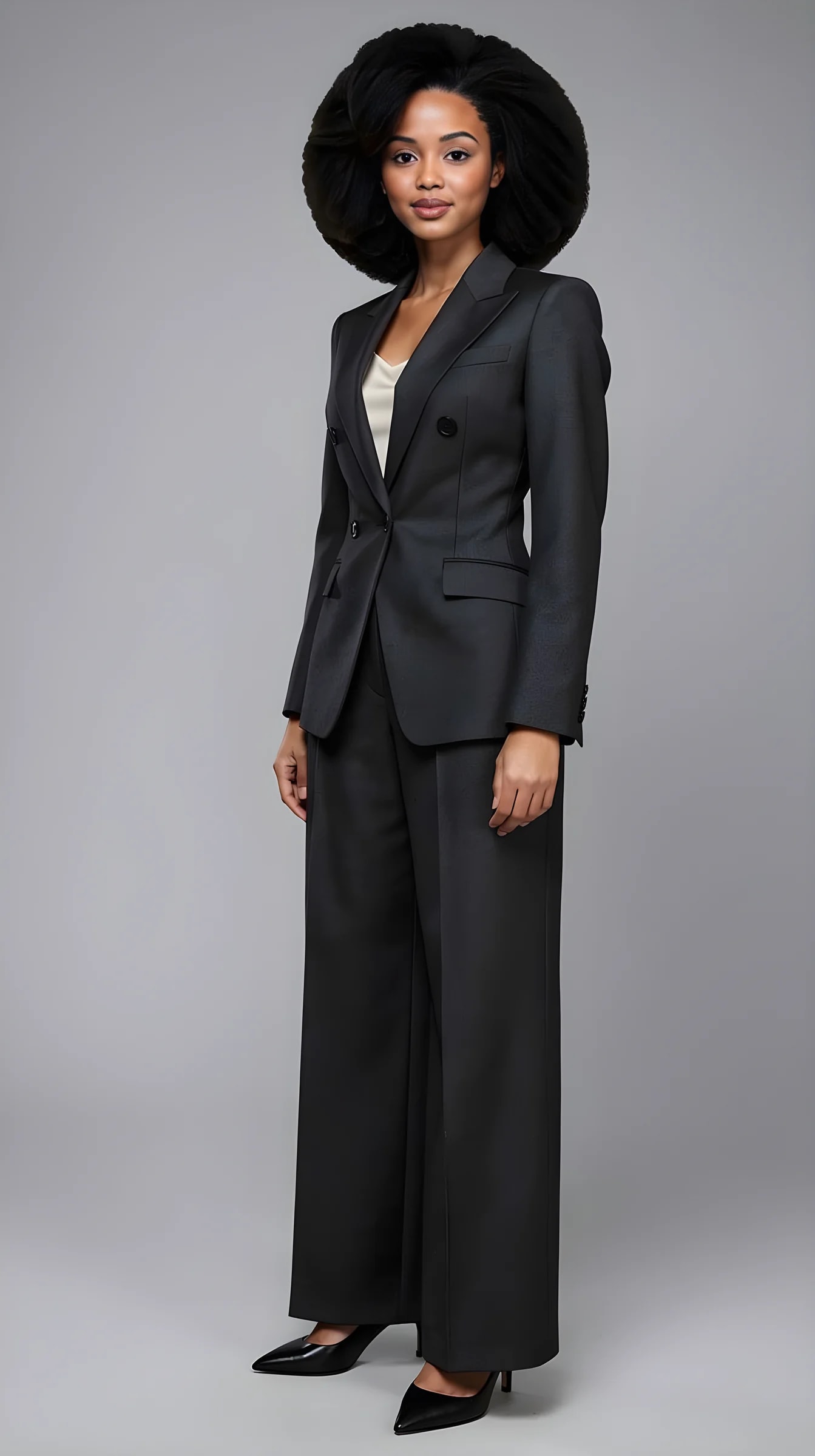
AI LinkedIn profile picture created with PublicSelf

What you can create

Built for the places LinkedIn actually shows your photo.

A beautiful full-length fashion picture can fail here. The circle crops the edges. The face has to carry the signal.

The circle

Head-and-shoulders. Face large enough to read beside a comment. Quiet background.

The profile header

The same person, a little more room, still not a fashion set.

The matching set

One extra three-quarter for your site. Same Look. That is personal brand, not a new costume.

Chosen, not prompted

You pick a curated Look and a shoot idea off a rail rather than describing a jacket to an image generator. No prompt to phrase correctly.

One identity, many pictures

Change the jacket, the light or the crop and make the photo again. What moves is the picture; what stays is you — which is why the LinkedIn circle and the website frame read as the same person.

A Look you can come back to

The outfit you settle on is saved. Run it again next quarter for a new picture that still belongs to the same wardrobe.

How it works

Crop first. Then the Look.

A profile picture maker that only crops and filters a photo you already have cannot change what you are wearing. This generates a new one — so decide the crop first. Pick the outfit before the crop and you will make a portrait LinkedIn immediately cuts.

  1. 01

    Add your face

    Two ordinary photos — one full-length, one clear face close-up. Identity stays the authority.

  2. 02

    Set a head-and-shoulders crop

    Chest-up or closer. Leave space for the circle to cut the corners.

  3. 03

    Pick the impression

    Approachable, focused, executive, or creative — for the role you actually have.

  4. 04

    Choose a quiet Look

    Busy patterns and loud scenes die in a 48-pixel circle.

  5. 05

    Generate a few and compare

    Same Look, different expression. Keep the picture that still looks like you at thumbnail size.

Examples

Choose the impression before the image.

Compare approachable, focused, executive and creative-professional directions, cropped for the circle. Different pictures, one person.

Approachable

Approachable

Open expression, soft light, simple background.

Focused

Focused

Restrained expression, clean business styling.

Executive

Executive

More formal tailoring, confident studio light.

Creative professional

Creative professional

A distinctive Look that still works at work.

AI LinkedIn profile picture created with PublicSelf

Your direction

What the small circle can survive.

LinkedIn is a hostile frame. Direct the photo for that, then reuse the Look elsewhere.

Crop

Head-and-shoulders. If you cannot see the face in a tiny circle, start again.

Expression

Open for comments. Focused for sales. Same person.

Outfit

A complete curated Look — suit, knit, or smart casual. Picked off a rail, not typed into a box.

Background

Quiet studio or a simple room. Busy streets fight the circle.

Light

Even and kind. Hard flash is a fashion language, not a profile language.

The rest of the brand

Keep the jacket. Make a wider frame for the site. See personal branding photos.

Ideas to try

LinkedIn pictures that still look like a person.

The useful test: shrink the image until it is a circle the size of a coin. If you cannot read the face, it is not a LinkedIn photo.

The comment test

Imagine the picture next to a one-line comment. Soft light. Open face. No hat brim.

Industry, not costume

A founder in a knit can be more credible than a founder in a rented tux. Match the room you actually work in.

Same jacket as the site

If you have a real jacket, keep it on a shelf and reuse it. The brand is the repetition.

Two expressions, one Look

One warmer for comments. One tighter for the profile header. Do not change clothes between them.

Then the wider frame

After the circle works, make one three-quarter for the website. That is the personal-brand set.

What not to publish

A full-length fashion flash frame. A group crop. A picture so retouched it stops looking like you in a meeting.

LinkedIn profile picture questions

How do I generate a LinkedIn profile picture with AI?

Add two reference photos of yourself, choose a Look and a head-and-shoulders crop, then generate. Unlike a general AI image generator, there is no prompt to write: you pick from curated outfits and shoot setups and adjust the visible controls.

How many photos do I need to upload?

Two. One full-length photo, head to toe, and one clear face close-up with your eyes visible and no heavy filter. A third from another angle sometimes helps. If you cannot get a clean face shot, the studio can crop one out of the full-length picture.

What crop works best for a LinkedIn profile picture?

Head-and-shoulders or chest-up. The circle cuts the corners. Leave the face large and centred.

Can I use an AI photo on LinkedIn?

You keep your results and use them wherever you like — some people do use generated portraits as their profile photo. Two honest caveats: platforms set their own rules about AI-generated imagery and those rules change, so check LinkedIn's current terms yourself; and a picture that looks nothing like the person who walks into the meeting does you no favours.

Does LinkedIn allow AI profile pictures?

We cannot answer for LinkedIn — its policy is its own and it changes. Read the current terms before you publish. The practical test on our side is recognisability: if it is plainly you, it behaves like a photo of you.

Should my LinkedIn photo use a suit?

Only if that fits the role. Smart casual can be stronger. Inconsistency with the rest of your pictures is the real problem.

Can I make several options for the same profile?

Yes. Generate connected alternatives and compare expression and crop before you update the circle.

Will it still look like me?

Your identity photos remain the authority, though it is not a deterministic face lock. Clearer references give steadier results, some frames land closer than others, and when one drifts you generate it again.

Can I use the same Look on my website?

Yes. Keep the Look, widen the crop. That is personal branding, not a second costume.

Why does a fashion photoshoot fail on LinkedIn?

The circle hides the outfit and the scene. What remains is a tiny face. Direct for that, then make the fashion set separately.

Is it free?

You get free credits when you sign up, no payment required — enough to generate several pictures and see whether they are worth it. After that each generation costs credits.

Is this a legal ID photo?

No. It is a directed portrait for a professional profile, not an identity document.

Create yours

Make the small circle carry the right signal.

Crop first. Then the Look. Then generate one matching wider photo for the rest of the brand.